
A few months ago, I found myself spending more than an hour searching for “the best AI tool for writing professional emails in French.” Between obsolete Medium lists from 2023, English-language Product Hunt posts, and not-exactly-well-structured Reddit forums, it felt like searching for a needle in an algorithmic haystack.
Result: AI Explorer. A comparison of AI tools designed so you can finally choose instead of drowning in ambient noise.
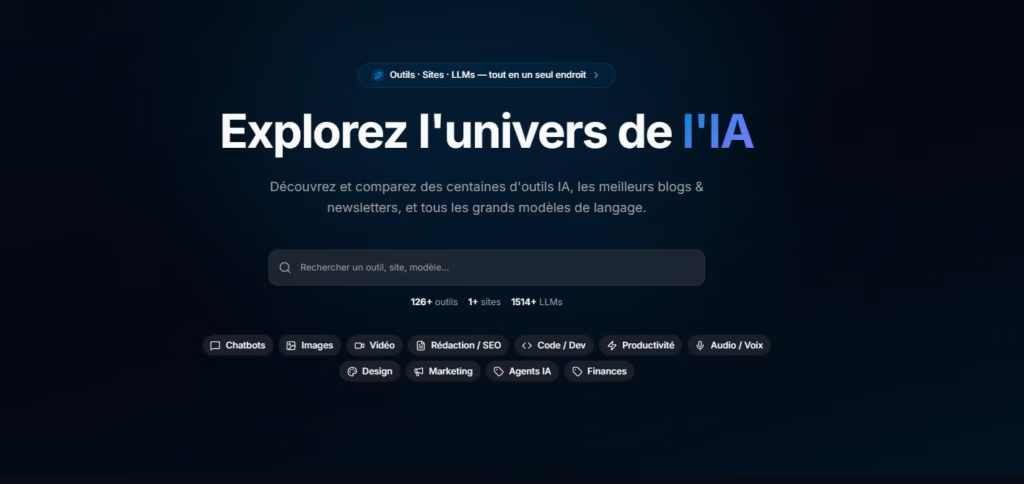
What is it, concretely?
AI Explorer is two complementary things.
On one hand, a directory of AI tools — hundreds of applications sorted by category, with each one having a detailed sheet: real advantages and disadvantages, who it’s for, the pricing model, typical uses. Not marketing copy-pasted from the official website, but an honest synthesis.
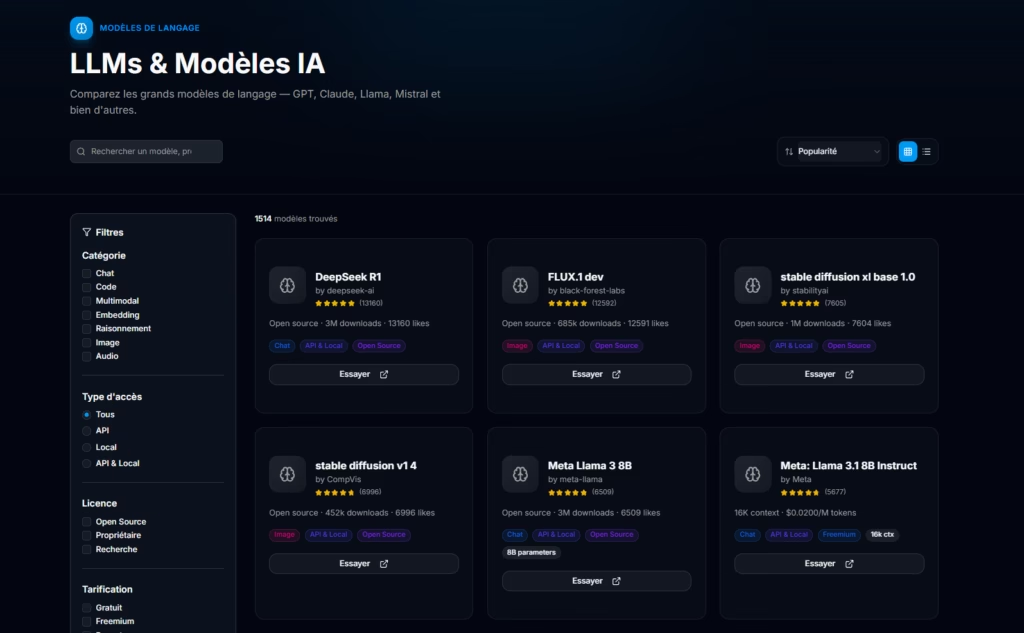
On the other hand, a dedicated LLMs section — the language models that power this entire ecosystem. GPT-4o, Claude, Gemini, Mistral, Llama… With direct comparisons, suggested alternatives, and a way of understanding the differences that doesn’t require a PhD in machine learning.
All content is available in French. Not an approximate translation, but a platform designed natively for French speakers working with these tools daily.
Note that the site is also translated into English for our English-speaking friends.
What you can do on the platform
Browse the directory
This is the heart of the platform. Over 118 tools referenced, sorted by category — writing, code, image, audio, productivity, automation… Each sheet details real advantages and disadvantages, the ideal user profile, and the pricing model. You can filter by use case, by category, or search directly by name.
The directory also covers AI website builders in a dedicated section — Framer, Webflow AI, Durable, Wix ADI and similar. It’s become a market in its own right, with its own comparison criteria, and it deserved separate treatment.
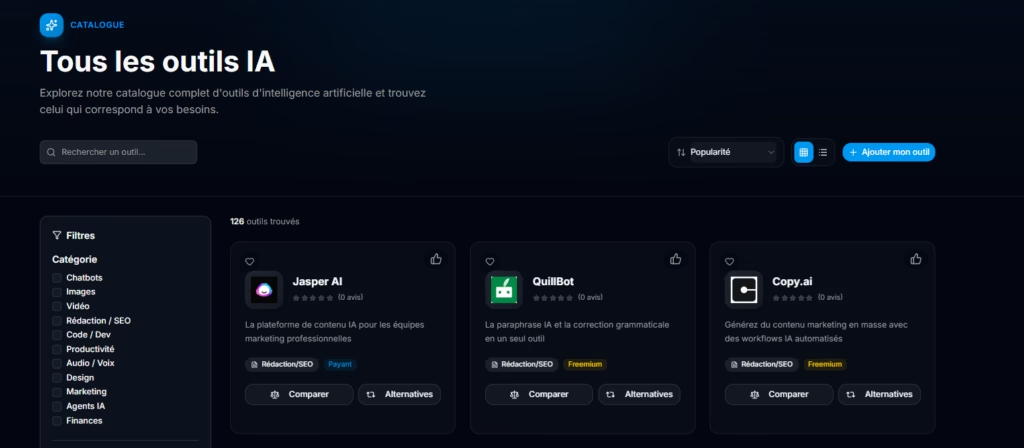
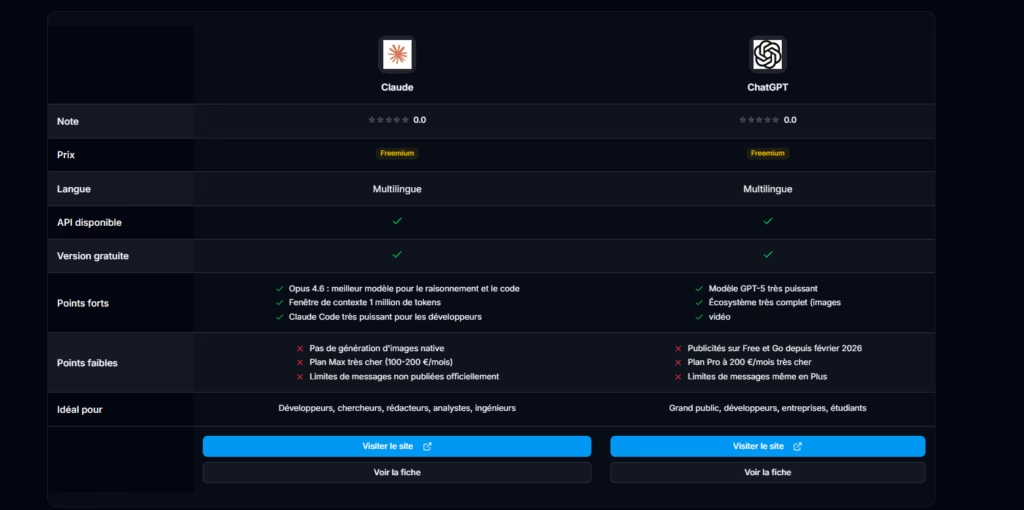
Compare side by side
Torn between two tools? The comparison view puts them face to face: features, pricing, strengths, limitations, target audience. Everything on the same screen, without having to open ten tabs in parallel. It’s particularly useful at the end of a shortlist, when you’re convinced by two options and need to make a decision.
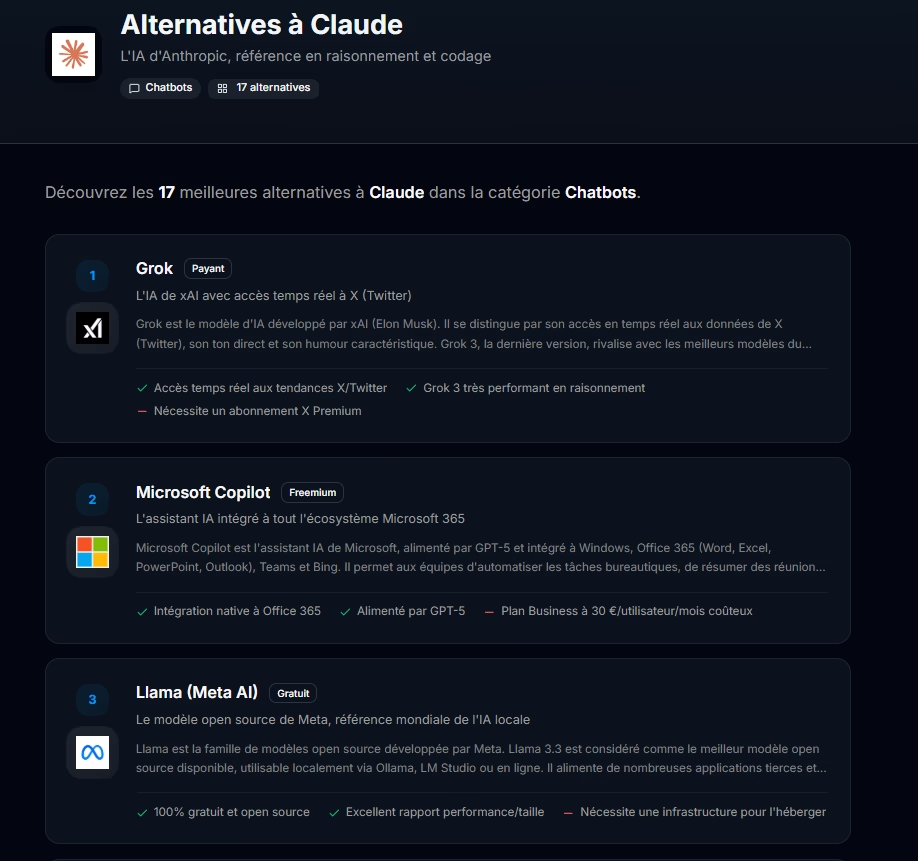
Find an alternative
One of the most frequent use cases on the platform. An tool you were using shuts down, raises its prices, removes its free plan, or no longer meets your needs? The alternatives section suggests relevant replacements, sorted by functional similarity. Not a generic list — contextual suggestions based on what the original tool actually did.
The “which tool for me?” quiz
It’s not always obvious where to start when you’re discovering the AI ecosystem. The quiz asks a series of short questions — intended use, budget, technical level, constraints — and guides you toward the most suitable tools for your profile. Also useful when your context changes: a freelancer getting into video doesn’t have the same needs as a marketing team looking to automate their monitoring.
Explore LLMs
The LLMs section covers language models themselves — not the interfaces that wrap them, but the raw models: GPT-4o, Claude Sonnet, Gemini, Mistral, Llama, Command R+, and many others. With over 1,500 models referenced, it’s probably the densest part of the platform.
For each model: its strengths, ideal use cases, context window, API pricing, and comparable alternatives. The section is particularly useful for those choosing a model for a technical project, those wanting to understand the differences between model families, or those following the rapid market evolution. Because what was the best benchmark six months ago is often not anymore today.
Why in French?
Most resources about AI tools are in English. It’s not a problem in itself, but it creates an invisible filter: non-English speakers navigate an ecosystem that isn’t really addressed to them.
AI Explorer is made for French speakers — not as a translation, but as a first language. The sheets are written in French, the categories are designed for French-speaking use cases, and the interface doesn’t feel like it went through Google Translate.
Do you have a tool or a website? List it.
AI Explorer isn’t just a read-only directory. If you’re a publisher, developer, or maker with an AI tool or a website / blog in the ecosystem, you can submit it or claim it directly on the platform.
Your tool might already be there. With over 118 tools referenced, it’s possible your creation is already in the database — added by the community or by the team. In that case, no need to submit again: you can claim your sheet to become its official editor, modify it, correct the information, add your screenshots, your video, and keep the content up to date. It’s your sheet, it might as well look like you.
If your tool isn’t yet listed, submission is free. Once validated, your sheet appears in the directory and becomes visible to all visitors looking for tools in your category.
And because AI Explorer is available in French and English, your sheet is automatically translated into both languages. You submit in French, you reach the English-speaking audience too — and vice versa. No double work, no sheet to maintain in parallel.
The freemium model — what’s free, what’s paid
What’s free for everyone
For users: browse the directory, compare tools, explore LLMs, use the quiz, find alternatives. All without creating an account.
For makers: submit a tool or a website, get a sheet in the directory, be visible to the community. Standard submission is free.
Paid options — for makers who want to go further
Once your tool or website is listed, several options allow you to increase its visibility or enrich its sheet. They’re all optional and independent of each other — no obligation to take everything.
Premium subscription — continuous visibility
For makers who want a lasting presence on the platform. The subscription positions your tool at the top of search results and on the home page permanently, with a “Sponsored” badge. The price is per tool or per website, adjustable in quantity if you have several.
Spotlight Boost — occasional visibility, no subscription
You don’t want to commit long-term but you have a launch or specific campaign? Spotlight positions your tool at the top of its category for a defined period. One-time payment, zero subscription. Activated from your tool or website page.
Included in all boosts: top-of-category placement · Sponsored badge · access to statistics during the boost period.
A la carte options — occasional, no commitment
All these options are stackable and independent. A tool can have an enriched sheet without being in Spotlight, be in Spotlight without a Premium subscription, or combine both. No obligation to take a subscription to access one-time options.
What’s next
The catalog grows regularly, sheets are updated as tools evolve, and new features arrive based on feedback.
Over 4000 tools are in our staging database, awaiting manual approval.
If you have suggestions about what’s missing from the catalog, or if you just want to chat — feel free to contact me directly.
→ Explore the directory
→ Submit my tool or my website